
Nonprofits face a costly continuity challenge: 50% employee turnover every year, including 38% of executives. When people leave, practical knowledge can leave with them—buried in inboxes and documents, or never written down at all. OrgFlow helps nonprofit teams preserve that knowledge as useful playbooks, source-backed answers, and thoughtful handoffs.
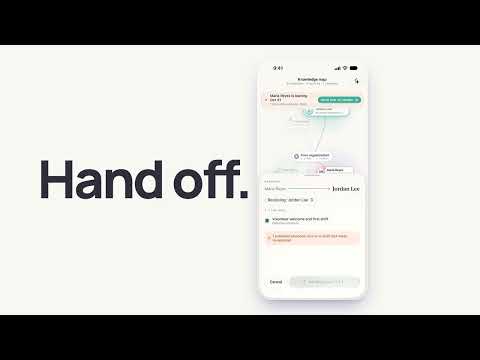
Watch the product walkthrough, or try OrgFlow.
Designed for organizations with roughly 10–200 staff, OrgFlow brings knowledge discovery, documentation, everyday reference, and role transitions into one workspace. AI can help find patterns and prepare drafts; staff stay in control of what becomes official guidance.
How OrgFlow turns experience into shared knowledge
flowchart LR
    A[Google Drive and Gmail<br/>with organizational consent] --> B[Searchable text index]
    C[Staff experience<br/>and voice interviews] --> D[AI-assisted drafts]
    B --> E[Discover workflows and answer questions]
    D --> F[Human review and approval]
    E --> F
    F --> G[Published playbooks and knowledge articles]
    G --> H[Source-backed answers]
    G --> I[Role transitions and handoffs]
    H --> J[Staff find and apply shared know-how]
    I --> J
The diagram shows the intended knowledge lifecycle: consented source material and staff experience inform drafts and discovery; people review what becomes official guidance; published knowledge then supports everyday questions and transitions.
Find knowledge in the tools teams already use
Organizations can connect Google Drive and Gmail using read-only OAuth and choose whether to index recent documents and email text. OrgFlow indexes text for search while original files remain with their provider. Teams can review and remove indexed sources. Microsoft 365 integration is not currently available.
Turn experience into practical playbooks
Discover looks for recurring workflows in indexed material and can suggest starting points for playbooks. Staff can also describe a process in a voice interview. The web experience uses ElevenLabs; the iOS app uses on-device transcription. Playbooks can include checklists, an owner, and a review date to make upkeep part of the process.
AI-generated content is a draft—not approved policy. A person reviews and publishes it. Teams can also write knowledge articles manually and keep published snapshots.
Ask questions and trace the answer
Ask searches approved articles and consented excerpts from email and documents using BM25. Answers identify source types so staff can trace guidance back to the material behind it. OrgFlow does not currently use an embedding-based vector index for retrieval.
Make transitions easier to manage
People and ownership records help teams identify work connected to a departing colleague. OrgFlow can draft a handoff guide from that person’s owned playbooks, sent emails, and notes, and prepare a successor onboarding checklist. A knowledge map makes ownership visible and helps teams plan reassignment. Handoff drafts need human review.
A shared workspace for organizational knowledge
OrgFlow includes organization workspaces with data isolation, admin and member roles, audit logging, and billing integration. The web application uses React and Bun; the backend uses Prisma and PostgreSQL, with pgvector enabled in production. The iOS app supports Ask, Capture, and Handoff workflows.
AI-assisted drafting and agent features require a configured Luminal API key. Production deployment and the PostgreSQL cutover are documented as verified, but some product workflows have not been verified end to end. See the implementation notes below for current limits.
Privacy and human review
- Google access is read-only, and indexing requires organizational consent.
- Original files stay in Google Drive or Gmail; OrgFlow stores searchable text and knowledge records.
- AI features send text to the configured AI provider. Provider retention and training terms have not been verified; use synthetic or appropriately consented material.
- AI-created or AI-edited knowledge remains a draft until a person approves publication.
Hackathon recognition
OrgFlow earned 1st place for Best Use of AWS and 2nd place in the Bloomerang challenge at c0mpiled. The Bloomerang challenge focused on building an AI agent for volunteer coordinators, with the coordinator remaining in control. Event details and challenge information.
Explore OrgFlow
Explore the code locally
To run the project locally, install Bun and Docker Desktop, then use the backend’s Docker Compose setup to start PostgreSQL. Configure backend/.env using the provided example, apply the Prisma migrations, and run bun run dev from the repository root. The web app runs on port 3002 and the backend on port 3003. For the full setup and verification steps, see the GitHub README.
Current implementation status
Production deployment and the PostgreSQL cutover are documented as verified. AI-assisted features require a Luminal API key. End-to-end verification remains incomplete for Discover and handoff drafting, and the iOS app has not been verified on a physical device.